
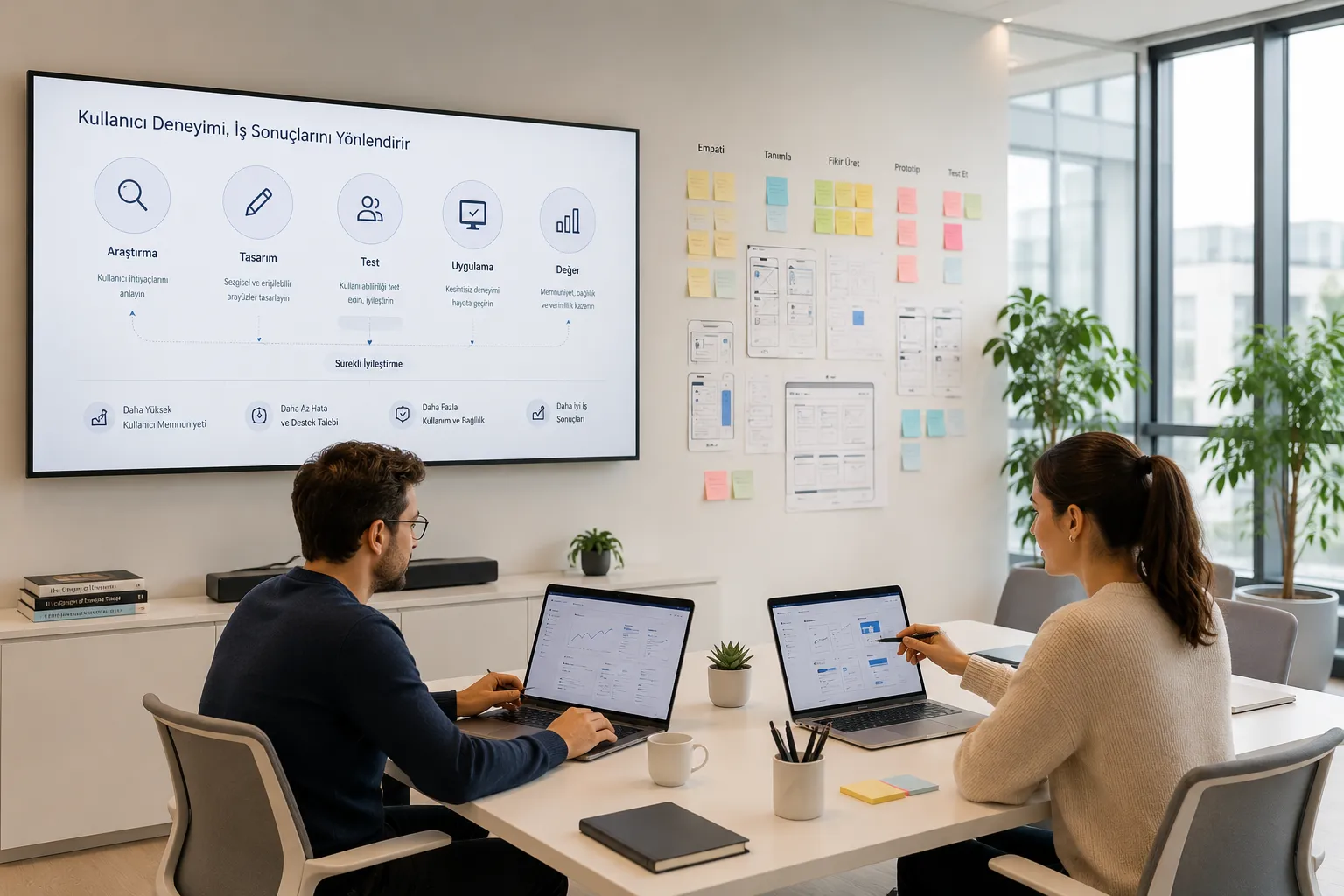
Enterprise software is usually judged by its feature list. How many modules does it offer, which integrations does it support, how much data can it process, which reports can it produce, which roles can it define permissions for? These questions clearly matter during procurement. Yet the real success of enterprise software is determined not only by the features it ships, but by how correctly, how quickly and how sustainably users can put those features to work.
This is exactly where enterprise user experience, in other words enterprise UX, comes into play.
An enterprise product may be an ERP, a CRM, a financial management tool, an insurance operations platform, a procurement system, a dealer management panel, a SaaS product, a dashboard, a field operations app or an internal process management tool. What these products share is that they rarely serve a single user; they serve a broad group made up of different roles, different permission levels and different business goals.
That is why enterprise software design is not simply a matter of making screens look more modern. It is the work of building an experience system that helps people do their jobs correctly, reduces errors, standardizes processes, supports data-driven decisions and lets the organization run more efficiently.
A strong enterprise user experience does more than make a product usable. It has a direct effect on operational efficiency, employee experience, the organization's approach to security, customer satisfaction and the return on the software investment.
What is enterprise user experience?
Enterprise user experience is the practice of designing the digital systems used by employees, managers, operations teams, field staff, dealers, business partners and customer representatives around genuine user needs and business goals.
The goal here is not merely to make an interface more attractive. The real aim is to make complex business processes comprehensible, to help users complete their tasks with fewer errors, to shorten the learning curve and to establish a more consistent way of working across the organization.
Enterprise UX spans many layers: information architecture, task flows, role-based access, data hierarchy, error prevention, alerting, dashboard structure, form experience, filtering, reporting, approval mechanisms, search, access permissions and in-product guidance.
For that reason, enterprise user experience is never a UI question on its own. It is a strategic design discipline that directly shapes how an organization does business digitally.
Why is enterprise software different from consumer apps?
In consumer apps, people usually download the product of their own accord, try it out and move to an alternative if they are not satisfied. A food delivery app, a mobile banking app, an e-commerce platform or a social product is shaped by individual preference. In those products, speed, simplicity, emotional engagement and the first-use experience are decisive.
Enterprise software works differently. Users rarely choose the product themselves. They have to work with the system their company, their department or their management has selected. In other words, the person who buys the software and the person who uses it every day are often not the same person.
That gap makes the enterprise software experience far more delicate. Buying decisions foreground features, integrations, pricing, security standards and technical capability; daily use, on the other hand, is governed by screen complexity, task duration, error messages, navigation structure and how learnable the system is.
A product can look very strong during a sales cycle. It can offer many modules, produce advanced reports and integrate with other systems. But if users struggle to understand it during daily operations, if they constantly need support to finish a task, or if they invent their own workarounds outside the system, that software will never create the value the organization expected.
More features do not automatically mean a better experience
One of the most common problems in enterprise software is that the product bloats with features over time. Every new customer request, every departmental expectation, every operational need is added as another module, another button, another report or another setting. Past a certain point the product looks powerful but becomes steadily harder to use.
This is especially common in SaaS products, dashboard interfaces, ERP systems, CRM platforms, financial operations tools and insurance software. As the product grows, the information architecture drifts, menus become tangled and users can no longer remember where a given task lives. In the end, capacity may go up while user productivity goes down.
Good enterprise UX does not mean stripping features out. On the contrary, it means offering the right features in the right context, to the right user, with the right priority. Users do not need to see everything at once. They need the shortest possible path to the information that matters for their role, their goal and the task in front of them.
Showing every available figure on a dashboard is not good design. Good design presents the data a user needs in order to decide, arranged in a meaningful hierarchy.
The hidden costs of poor enterprise UX

Poor user experience is often read at first glance as an aesthetic problem. In enterprise software, however, its cost runs much deeper. Tasks take longer to complete, error rates rise, training needs multiply, support teams field more requests and adoption becomes harder to achieve.
When an employee works in the same screen every day, even a small usability problem on that screen compounds into a significant productivity loss. If a task takes a few minutes longer for hundreds of people every day, the monthly and annual operational cost is considerable.
Poor UX also erodes trust in the system. As soon as users feel the product is not guiding them correctly, they start inventing methods of their own. Excel files, manual notes, WhatsApp messages, screenshots, personal tracking lists and approvals granted outside the system all creep in.
This does more than create inefficiency. It also weakens data integrity, process traceability, security and governance.
Good UX, by contrast, reduces the need for support. Users can see more clearly what they are supposed to do, where they are, what the outcome of an action was and what to expect at the next step. That lifts both user satisfaction and operational efficiency.
Usability is a core performance metric for enterprise software
In enterprise software, usability means more than "easy to use." It means that a user can complete a task correctly, quickly, safely and sustainably.
The usability of an enterprise product can be assessed with a handful of questions:
How long does it take a user to complete the task? How many errors do they make along the way? At which step do they hesitate? How much training does the system require? Is the user faster the second time they perform the same task? Is critical information visible at the right moment? Do error messages genuinely guide the user? Is the system clear enough for every role?
These questions show that enterprise UX is not the design team's concern alone. It matters directly to product teams, operations managers, customer support, technology teams and executive leadership.
A product with low usability slows the whole organization down. A product with high usability makes operations smoother, more measurable and more sustainable.
The disconnect between buyer and user
One of the most critical problems in enterprise software procurement is that the buyer and the end user are different people.
The person who buys the software is typically an executive, someone in procurement, a CTO, a CIO, a product manager or an operations lead. The people who use it every day are customer representatives, operations specialists, field teams, finance teams, insurance specialists, dealer staff or departmental users.
The buying side mostly focuses on questions like these: What features does the product have? Does it integrate with our existing systems? Are the security standards sufficient? Does it offer reporting? Is the price right? Will it scale?
End users ask very different questions: Where do I perform this task? Which field am I supposed to fill in? How do I fix a mistake? How do I find the customer I am looking for? Which figure in this report matters? Who receives the approval at the next step?
This is where enterprise UX connects the two perspectives. Meeting the business goals matters, and so does actually working in daily use.
Enterprise UX brings standardization to processes
A well-designed enterprise product does more than make individual jobs easier. It also establishes a shared way of working across different teams in the organization.
If every user completes the same task in a different way, measuring and managing the process becomes difficult. Knowledge stays in people's heads, in personal files or in departmental habits. That creates real risk during team changes, vacation periods, peak operational load or growth.
Good enterprise UX moves the process inside the system. Users know which step to take and when. Permissions become explicit. Approval flows become visible. Missing information is caught earlier. The risk of an incorrect transaction drops. Management can follow processes more easily.
It also reduces training needs. A new hire can learn the process through the system's own guidance, without depending on a dense document or on a colleague at every turn. Every enterprise system needs some training, of course, but good UX shortens and lightens it.
Why does UX matter for security and compliance?
In enterprise software, security is usually treated as a technical topic. Authorization, encryption, audit logs, access controls, security policies and regulatory requirements are seen as the technology team's responsibility. Yet user experience is an important part of security too.
If a system is not understandable, users drift toward unsafe behavior. They may export data and keep it in a personal file, share information through a screenshot, track work outside the system, or send information to the wrong people because they never understood the boundaries of their permissions.
This becomes critical in finance, insurance, healthcare, procurement, human resources and other regulated sectors. When the experience is poor, users try to step outside the system in order to get the job done. And every process that leaves the system opens a new area of risk in terms of control, security and compliance.
Good enterprise UX steers users toward the right behavior. It makes permissions easier to understand, informs users during critical actions, lowers the chance of error and keeps a more traceable record of what happened.
Secure software, then, is not only software that is technically secure. It is software that guides people into secure behavior.
Dashboard UX: not showing data, but enabling decisions

A significant share of enterprise software consists of data-heavy screens. Dashboards, reporting modules, admin panels, performance views, financial tracking tables and operational monitoring systems are all part of that picture.
The common mistake in dashboard design is trying to show all the data at once. In reality, users do not need every figure at the same time. Some data is critical for making a decision, some only matters during detailed review and some is meaningful only to a particular role.
Good dashboard UX does not treat data as a visualization exercise. It starts by understanding which decision the user has to make. Is this person a manager, an operations specialist, someone in finance, a field supervisor, a customer representative? Which metric is their priority? Which data calls for action? Which alert is critical? Which detail belongs on a second level?
Once those questions are answered, the dashboard becomes simpler, more meaningful and more action-oriented. Looking at the screen, the user does not just see data; they understand what is on track, what needs attention and which action comes first.
That is the essence of the right approach in SaaS, fintech and complex dashboard products: instead of filling the screen with data, design an experience that improves the quality of decisions.
Error prevention is a critical UX topic in enterprise software
A mistake in a consumer app is usually easy to undo. The wrong item goes into the cart and the user removes it. A wrong page opens and they go back. In enterprise software, some mistakes carry far heavier consequences.
Updating the wrong customer record, processing an incorrect financial transaction, entering the wrong policy details, advancing a process without a required approval, or recording faulty stock or procurement data can all have operational, financial or legal consequences.
That is why error prevention is one of the fundamental design principles in enterprise UX. Clear warnings on critical actions, reversible operations, field-level validation, understandable error messages, pre-submission summary screens and microcopy that guides the user all carry real weight.
Good design does more than help users move quickly. When it should, it slows them down, makes them think and protects them from costly mistakes. In enterprise software, accuracy matters as much as speed.
User adaptation and system adoption
Shipping an enterprise product is not enough for it to succeed. It has to be adopted by its users. A product with very strong features can still meet resistance inside an organization if people find it difficult, complicated or exhausting.
That resistance is not always stated openly. Users appear to be working in the system while they track the real work somewhere else. They fill in the mandatory fields but make their decisions in Excel. They open the dashboard but verify the numbers from another source. All of that erodes the product's real usage value.
Good UX makes adoption easier. Users grasp the system faster on first use, remember repeated tasks more easily and see the result of their work more clearly. The system stops feeling like an obstacle course and starts feeling like a tool that helps them finish the job.
In enterprise software, user adoption is critical to the return on investment. A product that goes unused, is used only because it is mandatory, or has to be propped up with methods outside the system will never produce the business value expected of it.
How enterprise UX relates to employee experience
Enterprise software shapes more than operations; it shapes employee experience. If someone spends most of the day inside slow, complicated systems that are hard to understand, it takes a toll on job satisfaction and motivation.
Enterprise products that are not user-friendly impose a constant cognitive load on employees. Users have to reason through the same task again every time. They work out where to start, which field to fill, what a given button does, why the system threw an error. That spends energy on operating the system rather than on the work itself.
Good enterprise UX lowers that mental load. It streamlines routine tasks, clarifies information at critical decision points and helps users build confidence in the system.
Enterprise user experience, then, matters not only for product performance but for employee experience as well.
Why does a UX audit matter for enterprise software?
It is not always easy to pinpoint where the problems in an existing enterprise product come from. Users may say the system is hard, that it is confusing, that a task takes too long or that the reports make no sense. On their own, though, those comments are not enough to produce a solution.
This is where a UX audit comes in. A UX audit analyzes the current product in terms of its information architecture, user flows, interface structure, error points, usability problems, data hierarchy and task completion experience.
In enterprise software, a UX audit seeks answers to questions like these: Which steps do users struggle with? Which tasks take unnecessarily long? Which screens carry too much information? Where is the risk of error highest? Does the navigation match users' mental models? Is the experience sufficiently differentiated by role? Do the dashboards genuinely make decisions easier? Which experience problems are driving support requests?
The analysis reveals how to improve the product structurally, not just visually. The design process is then shaped by real usage problems rather than by assumptions.
How should enterprise UX be designed?
Enterprise user experience design should not begin by drawing screens. It begins by understanding the work itself. Who is the user, which task do they perform, which information do they need, which decisions do they make, which errors carry critical consequences, which processes travel between departments?
In enterprise software and digital product design, the first step is usually research and discovery. This phase analyzes business goals, user roles, existing processes, system constraints, technical requirements and operational problems.
Next come the information architecture and the user flows. It becomes clear which screen leads to which, in what order tasks are performed, where each piece of information appears and at which point the system gives feedback.
Wireframes then make the structure of the experience visible. This stage is critical for testing the product's logic before moving into UI design, because the real risk in enterprise software is producing screens that look good while the workflow behind them does not hold up.
Once the wireframes and flows are validated, UI design, the design system and developer handoff follow. The product then becomes more than a set of individual screens: it becomes a scalable, sustainable design system that teams can build on consistently.
The impact of enterprise UX on business outcomes
Investment in enterprise UX often cannot be measured as a direct increase in revenue. Its effect, however, shows up clearly in operational metrics.
Shorter task times, lower error rates, fewer support requests, faster user adoption, reduced training needs, better data quality, greater process visibility and stronger employee satisfaction are all part of that effect.
Cutting the handling time of a customer representative, for instance, can lower contact center costs. Reducing the risk of error on a finance operations screen can reduce both correction costs and compliance exposure. Improving the decision quality of a dashboard can help managers act faster and more accurately. Simplifying an onboarding flow can help new employees get up to speed sooner.
Enterprise UX, then, is not just an improvement area for the design team. It is an investment that creates direct value for operations, technology, human resources, finance, customer experience and executive leadership.
For software vendors, enterprise UX is a competitive advantage
For companies that build enterprise software, UX has become a genuine differentiator. Customers once decided on the feature set alone; today the product's usability, learnability and ease of adoption weigh more and more heavily in the buying process.
In SaaS products in particular, user experience directly affects success after the sale. If teams struggle to adopt the product once it is bought, renewal rates, satisfaction and expansion potential all suffer.
A well-designed enterprise product is not only easier to use; it is also easier to explain, easier to demo, faster to adopt and better at creating internal champions at the customer.
For the vendor, that adds up to a competitive advantage. In the enterprise market, good UX is not a detail that merely pleases users; it is a strategic factor that shapes how the product is perceived and how well it performs commercially.
How should you approach enterprise user experience?
Looking at enterprise software purely through the lens of interface design is not enough. Enterprise UX is the work of striking the right balance between business goals, user needs, operational processes and technical constraints.
The pattern that repeats across fintech, SaaS, insurance, procurement and dashboard products points to one thing: good design in enterprise software is as much about understanding the process correctly as it is about simplifying the product. Behind every screen there is a business rule, behind every button an operation, behind every flow a decision mechanism.
So in enterprise software design, the first thing to understand is not the product but the work. Without analyzing what users are trying to do, why they struggle, at which steps they make mistakes and where the system slows the operation down, no lasting UX solution is possible.
The right approach focuses on making enterprise software more understandable, more secure, more efficient and more scalable, rather than merely more modern-looking.
Conclusion: enterprise UX is far more than beautiful screens
Enterprise user experience is not an aesthetic matter. It directly shapes how a company uses its digital systems, how efficiently employees do their work, how early errors are prevented, how consistently processes run and how much value the software investment produces.
Features matter in enterprise software. But their real value only emerges when people can use them correctly and sustainably. A product with a weak user experience can meet resistance inside the organization despite strong capabilities. A product with a strong user experience makes complex processes more understandable, safer and easier to govern.
That is why enterprise UX is one of the most critical areas of digital product design. In SaaS, fintech, dashboard, ERP, CRM and internal operations software especially, usability is a baseline requirement for efficiency, security, adoption and competitive advantage.
In enterprise software, user experience is not screen design; it is a strategic design process that improves business outcomes. Because a good enterprise product is not the one with the most features, but the one that lets the right people do the right work in the right way.